Hasil jalan-jalan ma om Google.... Black Theme for Windows 7!!!

Read more...
Hasil jalan-jalan ma om Google.... Black Theme for Windows 7!!!
Ini sih Net Surfer sudah lama dapat artikelnya, tapi dengan kemunculan Windows 7 Final kayaknya ni artikel layak dishare...
Tentang membuat Windows 7 bootable USB... Berikut kutipannya:
Imagine a situation where you need to install Windows Vista or 7 in a system but you don't have access to DVD drive. We all know Windows Vista, Server 2008 or 7 comes in DVDs and you'll need a DVD drive to install them. Then how will you install them? The solution is, you can create a bootable USB drive which can be used to install Windows without using DVD drive.
We have posted a detailed tutorial to create such bootable USB drive long time back, you can read about it here.
The above method is very easy to follow but wouldn't it be great if we can use a utility to do the whole task automatically? Our reader "Aris" has created a small utility exclusively for AskVG readers which creates a bootable USB drive to install Windows Vista, Server 2008 or 7.
* A USB Drive (4 GB or more)
* Windows Vista, Server 2008 or 7 ISO image or DVD
* Host OS: Windows Vista (SP1 or SP2), Server 2008 or 7
Once you meet the requirements, run the utility. Its a portable utility so doesn't need installation. Simply run it and check the option "I have read and accepted the following License Agreement". Now click on OK button and it'll launch the main application.
It also shows a Help window so that you can use the utility easily. The utility requires only 4 easy steps to follow:
* Check USB drive (To check whether your USB drive is attached or not)
* Format USB drive
* Choose DVD or ISO image (To copy the required files to USB drive)
* Start the process to create bootable USB drive
PS: It also works in 64-bit Windows versions.
Download disini:
http://www.ziddu.com/download/5895672/Master-USB.exe.html
Source: http://www.askvg.com/a-bootable-usb-utility-to-create-bootable-usb-drive-to-install-windows-vista-server-2008-and-7/
Mudah-mudahan berguna....
Peace
Setelah sekian lama menggunakan Windows 7 mulai dari Beta, RC dan rilis terakhir, bosa juga ngeliatin themes bawaan dari si Windows 7 ini. Namun, Microsoft memberikan themes gratis lainnya yang bisa didownload
Dalam situs resminya... (http://windows.microsoft.com/en-US/windows/downloads/personalize), Microsoft menyediakan berbagai themes yang baru. Diantaranya: Avatar, Bing's Best, Happiness Factory, Ducati, Ferrari, Gears of War, Gears of War 2, Infiniti, Lugares Coloridos, Refresh Everything, Porsche, Zune Characters, Zune Zodiac, serta Zune Elements
Selain itu masih ada beberapa themes internasional baru, yang merupakan gambar-gambar pilihan dari berbagai negara
Anda pengguna Windows 7? Ayo langsung download themes gratisnya di http://windows.microsoft.com/en-US/windows/downloads/personalize
Mudah-mudahan berguna....
Peace
Belum keluar secara resmi Windows 7 versi Final, bajakannya sudah banyak beredar! Namun bersamaan dengan itu beredar pula isu bahwa Microsoft sudah mempersiapkan diri untuk development Windows 8 Believe it or not, Windows 7's successor(s) have been in the planning and early development stages for a while now. We haven't posted anything about any of them yet, but we've been watching closely to see if anything really interesting turned up. Exactly two weeks ago, it did. A LinkedIn profile, which has already been taken down, for a Robert Morgan, Senior Research & Development at Microsoft, has shone a sliver of light on the possibility of 128-bit support coming to Windows 8. Morgan has been with the software giant since January 2002, but we're more intrigued with what his profile (first paragraph) and his status (second paragraph) recently stated: Working in high security department for research and development involving strategic planning for medium and longterm projects. Research & Development projects including 128bit architecture compatibility with the Windows 8 kernel and Windows 9 project plan. Forming relationships with major partners: Intel, AMD, HP, and IBM. Robert Morgan is working to get IA-128 working backwards with full binary compatibility on the existing IA-64 instructions in the hardware simulation to work for Windows 8 and definitely Windows 9. Windows 8 News found Morgan's profile first and immediately started trying to get in contact with him over LinkedIn. When we saw this, we leaned back and waited to see if they could get a response from him. They did. The site claims it has managed to get an exclusive interview with Morgan and is letting its readers to ask questions. The deadline is October 11, 2009 so head on over and post your queries. This news is interesting because we always thought Windows 7 would be the last release that had 32-bit and 64-bit versions. This was brought on by the fact that Windows Server 2008 R2, the server version of Windows 7, was the first Windows Server release to be 64-bit only. The next client version of Windows should therefore follow suit, but apparently Microsoft is going to prepare it for 128-bit as well. We're not saying Windows 8 will definitely come in 64-bit and 128-bit flavors, but Microsoft is moving down that path, and at the very least, Windows 9 will. While this little tidbit is news on its own, we feel it's necessary to look at what we've heard about Windows 8 so far. In April 2009, Codename Windows spotted a Microsoft job posting for a Lead Software Development Engineer in Test with this interesting description: DFSR is Microsoft's premier file replication engine and is an integral part of our branch office strategy and File Server role. It can scale to thousands of servers and replicate hundreds of terabytes of data. We have shipped the technology that powers file sharing in Windows Live Messenger, Windows Meeting Spaces (Vista) and Branch Office replication in Windows Server 2008 which has strong customer deployment. DFSR technology saves MS-IT and our customers more than 80% WAN bandwidth by using advanced On-The-Wire differential compression. For the upcoming version of Windows, new critical features are being worked on including cluster support and support for one way replication. The core engine is also being reworked to provide dramatic performance improvements. We will also soon be starting major improvements for Windows 8 where we will be including innovative features which will revolutionize file access in branch offices. That same month, ZDNet found another job posting that also described some interesting details: 
Berita ini menarik karena diperkirakan Windows 7 akan menjadi rilis terakhir yang memiliki versi 32-bit dan 64-bit. Hal ini disebabkan oleh fakta bahwa Windows Server 2008 R2, versi server Windows 7, adalah Windows Server rilis pertama yang hanya ada dalam versi 64-bit saja. Versi Windows berikutnya ya harus mengikuti, tapi tampaknya Microsoft akan menyiapkannya untuk 128-bit juga. Tertarik? Mari ikuti kutipan yg Net Surfer dapatkan...
Dikutip dari http://arstechnica.com/Microsoft mulling 128-bit versions of Windows 8, Windows 9
Selanjutnya baca disini http://arstechnica.com/
Mudah-mudahan berguna....
Peace
Jika Microsoft optimis dengan Windows 7 nya yang bakalan segera hadir. Demikian pula halnya dengan Google. Chrome OS besutan teranyar dari Google pun sudah mulai santer terdengar. Dan lagi-lagi ini karena promosi Google yang simple. Produknya sendiri dikabarkan bakalan hadir tahun depan. Namun beberapa screen shotnya sudah beredar. Ini salah satu yang berhasil Net Surfer dapatkan.
 Tapi screen shot ini belum bisa dipastikan kebenarannya. Karena dari pihak Google sendiri belum mengumunkan screen shot Chrome secara resmi. Namun mudah-mudahan bisa mengobati rasa penasaran akan tampilan dari Chrome OS.
Nah jika Windows 7 si Microsoft sudah banjir order pemesanan. Kira-kira bagaimanakah nasib Chrome OS si Google ini? Yang pasti pengguna bakalan melirik OS ini karena dikabarkan gratis (dikatakan sih berbasis Linux). Tapi apakah Chrome OS ini bakalan bisa menyaingi Windows 7? Nah untuk menjawab pertanyaan itu kita harus berpandangan seimbang. Apa yang dicari pengguna di Windows adalah kemudahan dalam penggunaannya, banyak software yang mendukung, bahkan bagi maniak game tentunya directX si Windows tiada duanya. Namun semua itu harus dibayar dengan banyaknya virus dan celah keamanan yang setiap bulan pasti bisa ditemukan di OS Windows. Jika Chrome OS ingin menyaingi bahkan menjatuhkan dominasi Windows tentunya kompatibilitas Software adalah hal utama yang harus diperhatikan.
Bahkan Net Surfer pernah mendapatkan wacana dimana pengguna setia Linux mau beralih ke Windows gara-gara ingin mencicipi game terbaru dari EA. Jika nanti di Chrome OS, Adobe Photosop berjalan sempurna, game terbaru bisa dimainkan dengan lancar, dan seambreg program lain yang biasa digunakan di Windows lancar jaya di Chrome OS, bukan hal yang mustahil posisi Windows bisa ditendang oleh si Chrome OS.
Namun kayaknya si Chrome OS bakalan lebih mengedepankan integrasinya dengan produk Google lainnya seperti Google Apps. Ataupun bahkan Google Gear otomatis terinstal sehingga Google Docs bisa diakses secara offline. Dan mudah-mudahan Google menemukan cara menghadirkan solusi 3D spektakuler buat main game di Chrome OS. Mengingat Linux sudah berhasil mengalahkan 3D dekstop Windows dengan Compiz Fusionnya. Tetap semangat om Google… Layanan dan produk “gratis” anda selalu dinanti!!! :)
Peace
The other day I surf, I found a nice article about Microsoft Office Outlook 2010. Outlook’s broken let’s fix it… So here are some point copied from it…
Taken from http://www.email-standards.org
After testing the latest beta of Outlook 2010 and seeing the same poor standards support as 2007, a senior member of the Outlook team confirmed they plan on continuing to use Word to render HTML emails. Not only that, but early tests indicate that HTML support in the Word engine has not been improved in any way. Same bugs. Same quirks.
To demonstrate just how bad the Word rendering engine is in Outlook 2010, here’s exactly the same email rendered in Outlook 2000, and then Outlook 2010. Click the image for a full sized version.

Outlook 2010 is still in beta and a year away from public release. Either we make it clear this is a bad decision now, or the disconnect between Outlook users and the rest of the email world will continue to grow. Email designers will be stuck building emails using the same clunky combination of tables for layout, inline CSS and font tags for many years to come.
Thankfully, Microsoft want to hear your feedback about this. From the Outlook Product Manager Dev Balasubramanian:
“The Office team, and Microsoft in general, is always open to and interested in customer feedback so we can prioritize the various needs of our diverse user base in product planning and development.”
“This conversation alone has reignited the topic within the Outlook and Word teams and in and of itself will contribute to future design considerations… We want to hear feedback on this position, and I’m sure you and your readers will provide it.”
It’s time for us to send the strongest message yet to Microsoft, and we need your help to get started. To make this happen, we’ve built fixoutlook.org.
 For more information visit http://www.email-standards.org and http://www.fixoutlook.org/ for more detail…
OK now back from Net Surfer :)
If you do love Outlook and want to improve the rendering engine in Outlook 2010, I suggest you just go to http://www.fixoutlook.org/. You can find more detail there… And please spread this information to the other…
Peace

The first public Beta of Microsoft Security Essentials 1.0, formerly codenamed Morro, is now available for download from Microsoft. Via the official webpage, users will need to follow a link to Microsoft Connect. On Connect, the Redmond-based company has published a survey with a few security-related questions that wannabe testers can fill in no time at all. After the survey is complete, the software giant will allow access to the Beta of Microsoft Security Essentials 1.0. The security solution is tailored to the 32-bit and 64-bit flavors of Windows 7 Beta and Release Candidate and to Windows Vista RTM, SP1 and SP2, but also to 32-bit Windows XP SP3.
“You're too busy to spend a lot of time worrying about protecting your PC. With Microsoft Security Essentials Beta, you get high-quality protection against viruses and spyware, including Trojans, worms and other malicious software. And best of all, there are no costs or annoying subscriptions to keep track of,” Microsoft reveals. “Security Essentials is easy to install and easy to use. Updates and upgrades are automatic, so there's no need to worry about having the latest protection. It's easy to tell if you're protected – when the Security Essentials icon is green, your status is good. It's as simple as that.”
Microsoft Security Essentials 1.0 Beta is the successor of Windows Live OneCare. When it announced Morro in 2008, the software giant emphasized that it was building a basic security solution aimed for Windows users in developing markets that could not afford protection because the prohibitive prices of full security suites.
“When you're busy using your PC, you don't want to be bothered by needless alerts. Security Essentials runs quietly in the background, only alerting you if there's something you need to do. And it doesn't use a lot of system resources, so it won't get in the way of your work or fun,” Microsoft added. “This beta is available only to customers in the United States, United Kingdom, Israel (English only), People’s Republic of China (Simplified Chinese only) and Brazil (Brazilian Portuguese only).”
Microsoft Security Essentials 1.0 Beta is available for download here.
 The fresh software solution allows users to easily move messages, contacts, photos, videos, music and more between their computer and their Nokia device, while also enabling them to share photos on Ovi and to discover the wide range of Ovi services that also includes map downloads.
At the same time, users will be able to always keep their devices up to date through the Nokia Ovi Suite 2.0, which comes with a more user-friendly approach. The mobile phone maker tried to offer users a single software solution to connect their devices to PCs, and the Nokia Ovi Suite 2.0 will automatically uninstall the Nokia Ovi Suite 1.x and Nseries PC Suite, and exits the Nokia PC Suite in case it is opened. In addition, the new solution comes with the main features offered by Nokia Photos, Nokia Software updater and Nokia Map loader.
Designed from a clean slate, Nokia Ovi Suite offers a new, more user-friendly approach to Nokia PC software.In addition, this software is considerably slim and fast.The completely new user interface gives you easy access to your important files and information as all the functionalities are available within one window.
Nokia Ovi Suite is intended as the only computer application you will need from Nokia. It will eventually replace the current Nokia PC Suite and its variants like Nokia Ovi Suite 1.x and Nokia Nseries PC Suite. Nokia Ovi Suite integrates also the main features from Nokia Photos, Nokia Software updater and Nokia Map loader.
According to the company, the software solution works with Windows Vista SP1 or newer, and Windows XP SP2 or newer, and has been tested on Windows 7 RC as well, though support for the OS will come as soon as the platform becomes available. The application has been developed based on the Nokia Qt Software, the cross-platform application and UI framework. For the time being, though, the early beta version of Nokia Ovi Suite 2.0 is not intented for large consumer audience, but only for the Nokia Beta Labs community.

Here are some key features of "Nokia Ovi Suite 2.0":
· Move messages, contacts, photos, videos, music and more between your computer, your Nokia device and share your photos on Ovi
· Keep your Nokia device and computer in sync, update your Nokia device with the latest software, and keep your valuable content safe and accessible everywhere
· Sign in with Nokia Account and discover a range of great Ovi services: share your photos and videos with your friends & family or download the maps you need
Requirements:
· Nokia device: Nokia Ovi Suite 2.0 supports over 100 different Nokia S60 and S40 devices with more being added all the time. It should work on all Nokia devices based on S60 3rd Edition, S60 5th Edition, or S40 6.1 or newer.
· 2GB hard disk space
· 1GHz Intel Pentium 4
· 64MB display memory
· 512MB RAM
· 1024x768 resolution
· 24-bit color graphics card
Wow Windows 7 Ultimate hanya $99.99 dari harga retail officialnya yang mencapai $319.99 dan Windows 7 Home Premium hanya $49.99, bandingkan dengan aslinya $199.99. 
“As a way of saying thank you to our loyal Windows customers, we are excited to introduce a special time limited offer! We will offer people in select markets the opportunity to pre-order Windows 7 at a more than 50% discount. In the US, this will mean you can pre-order Windows 7 Home Premium for USD $49.99 or Windows 7 Professional for USD $99.99. You can take advantage of this special offer online via select retail partners such as Best Buy or Amazon, or the online Microsoft Store (in participating markets),” kata Brandon LeBlanc, Windows Communications Manager di Windows Client Communications Team. 26 Juni 2009, program ini dimulai di Amerika, Kanada dan Jepang. Bulan depan di Inggris, Prancis dan Jerman. “The offer ends July 11th in the U.S. and Canada and on July 5th for Japan or while supplies last. Customers in the UK, France and Germany, can pre-order their copy of Windows 7 starting July 15th and will run until August 14th (or supplies last) to ensure folks don’t miss out on this. Act fast if you want to be the first in line to get Windows 7 at this screaming deal! Note: The special low pre-order price will vary per country,” begitu lanjut LeBlanc. Well bagaimana dengan di Indonesia ya…? Dengan tingkat pembajakan yang tinggi, harusnya Microsoft bisa menurunkan harga Windowsnya di Indonesia. Maklum harga termurah diatas ($49) tidak sebanding dengan harga sekeping DVD bajakan di Indonesia… Ayo Microsoft Indonesia tunjukkan solusimu…!!! Awas jangan sampai keduluan Google dengan Androidnya… Peace sumber: softpedia.com
Ada berita yang menyebutkan kalo Windows 7 RTM akan beredar sebelum 22 Oktober. Berita ini berasal dari konferensi HITEC di Anaheim, California pada tanggal 23 Juni lalu. Dan yang menjadi media perantara antara Microsoft dengan calon pengguna Windows 7 adalah Sheraton Hotels & Resorts.

Dan tetap sejalur dengan angka 7, tersedia 7 komputer pada layanan Link@Sheraton. Ke 7 komputer ini akan terisi dengan Windows Live Messenger, Web cam dan Office 2007 System. Dengan layar 17 inchi.
“We wanted to create a destination where all of our guests could come to socialize, be entertained, people watch, or be alone but not lonely. We found our inspiration in parks because they’re a symbol of community where people gather to play games, to eat and drink, or just to unwind. With that in mind, we designed the Link@Sheraton to be much more than a business center. It’s a social enabler.” ujar Hoyt Harper, senior vice president of Brand Management Sheraton Hotels & Resorts, menjelaskan tentang Link@Sheraton.
Nah ini menandakan Windows 7 sudah semakin dekat saja rilisnya. Dan mudah-mudahan Windows 7 nantinya bisa mengalami nasib yang lebih baik dari Vista.
Peace
Windows 7 slowdown Explorer…?!? Pernahkah anda mengalaminya? Well beberapa waktu lalu Net Surfer mengalaminya. Buka My Computer aja lambatnya setengah mati! Apalagi program-program yang berhubungan dengan si Explorer… seperti control panel dan sebagainya ikutan lambat juga.

Browse di internet cari forum-forum, tutorial, dll ternyata mengungkapkan permasalahan yang sama. Waduh gimana ini???? Putus asa? Tidak, Net Surfer coba repair saja. nah kendala pas repair malah si Windows 7 nda mau di repair… tahapan copy file instalasi berjalan tapi tahapan selanjutnya dia diam seribu bahasa…
Hmmm beginilah kalo pakai produk masih RC. Tapi apa ya penyebabnya…? Nah setelah berpikir panjang akhirnya Net Surfer memutuskan untul menguninstal antivirus. Dan ajaib setelah si antivirus ini hilang, performa si Windows 7 kembali seperti semula. Semua serba kencang lagi. Si explorer sudah tidak lambat lagi…
Mungkin ini gara-gara si antivirus masih prototype jadinya hanya buat uji coba. Dan Net Surfer berharap si pembuat antivirus bisa segera mengupadate aplikasinya. Karena jujur saja selama ini yang melindungi Net Surfer dan Windows 7 adalah antivirus ini.
Jika anda mengalami masalah yang serupa. Cobalah ikuti solusi yang Net Surfer temukan. Mudah-mudahan bermanfaat…
Peace
Biasanya dalam lingkungan Windows, jika ingin membuat folder baru, kita harus meklik kanan area kosong kemudian memilih new folder. Sama sekali tidak ada keyboard shortcut yang untuk membuat folder. Tapi di Windows 7 beda!
Di Windows 7 sudah disediakan shortcut untuk membuat folder baru dengan cepat. Yakni dengan menekan tombol CTRL + tombol Shift + tombol N di area yang anda inginkan untuk menyimpan folder baru tersebut. Namun seperti biasa anda perlu memberikan nama folder baru tersebut
Setelah 5 harian belum posting, mudah-mudahan artikel ini berguna....
Peace
How to Create Windows Live Writer Portable… Pernah mendengar Windows Live Writer? Windows Live Writer adalah salah satu freeware dari Microsoft untuk melakukan Offline Blogging. Dimana anda bisa membuat posting terlebih dahulu secara offline kemudian begitu selesai bisa langsung mempublishnya secara online. Nah Windows Live Writer ini tentunya akan lebih powerful lagi dia bisa menjadi portable application alias aplikasi yang bisa dipakai dimana-mana tanpa perlu instalasi lagi.
Setelah berGoogling ria, berikut cara membuat Windows Live Writer Portable: (Bagi yang mau instan alias Windows Live Writer Portable yang sudah jadi, download disini!)
 Pertama siapkan bahan-bahan yang kita perlukan. Dimana installer Windows Live Writer bisa anda dapatkan disini! Kemudian komponen portablenya disini!
 Sekarang ekstrak komponen portable! Kemudian masuk ke sub folder paling dalam dari hasil ekstrak tadi. Lihat gambar atas!
  Sekarang install Windows Live Writer terlebih dahulu… Ini terpaksa dilakukan karena Windows Live Writer sudah dicompile menjadi file exe yang tidak bisa sembarangan di ekstrak!
 Sekarang pilih program yang diinstall karena Windows Live terdiri dari banyak pilihan program, pilih “Writer” saja.


Sekarang tunggu proses instalasinya! Tenang saja instalasi tidak mendownload file lagi jika sebelumnya sudah mendownload installer yang full package! (gambar atas!)

Instalasi sudah hampir selesai! Sekarang anda akan diberikan beberapa pilihan oleh Windows Live seperti mengganti home page dan sebagainya. Silahkan disesuaikan. Penyesuaian ini tidak akan mempengaruhi aplikasi portable anda nantinya.
 Sekarang anda akan diberikan pilihan lagi apakah mau mendaftar menjadi anggota dari Windows LIve… Jika tidak pilih close dan instalasi sudah selesai.
 Sekarang kembali ke komponen portable tadi dan klik file WindowsLiveWriterPortable. Lihat gambar diatas! Jika muncul layar konfirmasi pilih “Yes”
 Sekarang pilih lokasi instalasi Windows Live Writer tadi. Defaultnya ada di “direktori-progrmam-files”\Windows Live\Writer. Kemudian komponen portable ini akan mencopy file yang diperlukan untuk membuat Windows Live Writer Portable.

Selanjutnya akan ada konfirmasi apakah file-file dari aplikasi Windows Live Writer seperti file *.exe dan *.dll akan dikompres dengan UPX atau tidak. Mengkompress dengan UPX akan mengecilkan ukuran file-file *.exe ataupun *.dll. Tapi jika anda kurang berpengalaman dengan penggunaan UPX, pilih saja opsi “No”
 OK pembuatan Windows Live Writer Portable sudah selesai. Sekarang anda sudah boleh menggunakannya langsung. Tapi karena disini adalah fresh install, kemungkinan anda harus mengkonfigurasinya terlebih dahulu. Bagaimana cara mengkonfigurasinya? Lihat artikel ini! (masih tahap pembuatan)
Dan jika anda tidak mau repot-repot mengikuti tahapan diatas, anda bisa langsung mendownload Windows Live Writer Portable disini!
Windows Live Writer ini bisa digunakan untuk Offline Blogging di Blogspot, Wordpress, Windows Live Blog dll
Sumber:www.techlifeweb.com
Tadi pagi ada temen si vmancer nanyain kenapa Microsoft Excel-nya tiba-tiba crash di Windows 7. Ms Officenya sendiri belum terinstal service pack sama sekali. Errornya kira-kira:
“Microsoft Office Excel has stopped working” event name : APPCRASH

Nah Net Surfer pun ber-Googling dan berikut beberapa hasil yang bisa dimanfaatkan:
Mudah-mudahan cara-cara tersebut bisa membantu… Tapi jika anda memiliki koneksi internet, alangkah baiknya jika anda rajin mengupdate Windows anda termasuk aplikasi-aplikasi didalamnya! JIka cara diatas tidak bisa membantu silahkan klik disini
Peace
related: Microsoft Office 2007 SP2
Memperkenalkan Windows 7 Inspirat! Sebuah theme untuk membuat Windows yang anda gunakan memiliki tema Windows 7 tanpa perlu instalasi Windows 7. Berikut screenshot yang Net Surfer dapatkan... Jika tertarik, silahkan kunjungi di http://pankaj981.deviantart.com/art/Windows-7-Inspirat-76378417
Mudah-mudahan berguna...
Peace
Iseng tadi login ke email, ternyata ada email menarik dari Microsoft… Setelah dilihat, isinya bikin senyum-senyum sendiri! Operatornya Microsoft lagi bingung ni… (klik screenshot agar lebih jelas)

Wakakakak salah email… Yah ada-ada aja si Microsoft. Padahal itu perusahaan raksasa ya… Tapi balik lagi namanya juga manusia, tak ada yang sempurna…
Peace
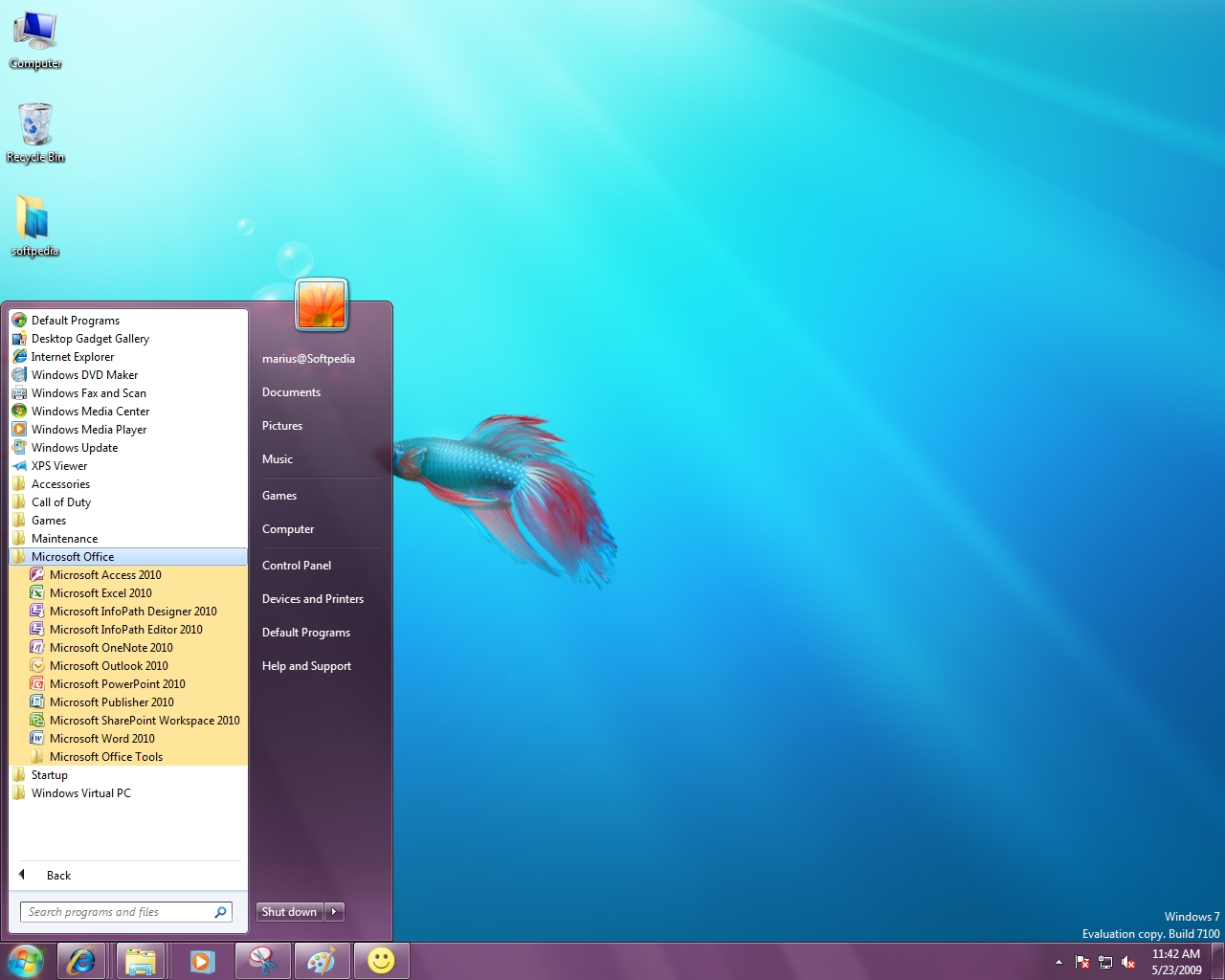
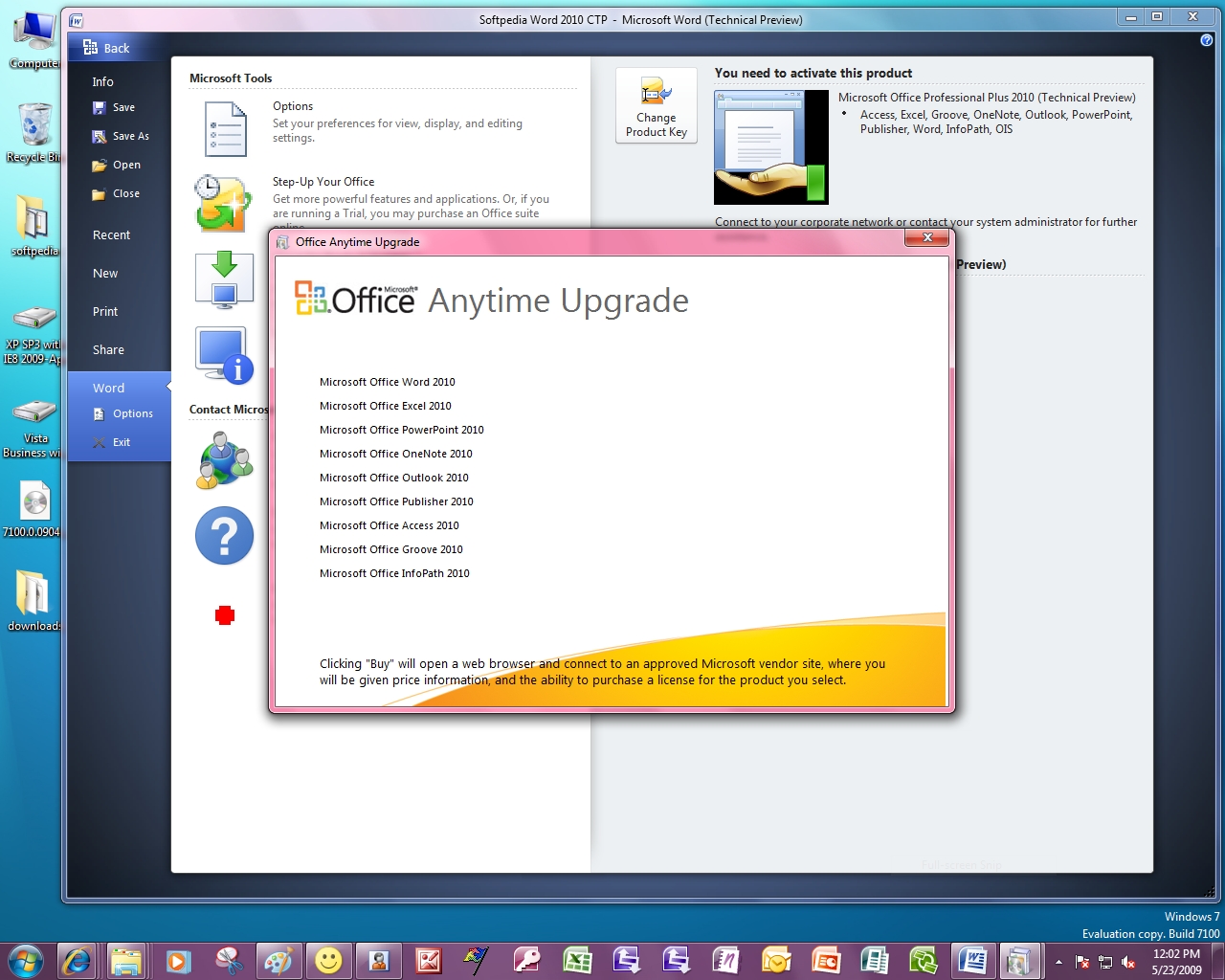
Office 2010 adalah generasi berikutnya dari Microsoft Office System, dan merupakan penerus dari Office 2007, dimana Office 2007 dirilis Januari 2007 bersama dengan Windows Vista. Office 2010 memiliki codenamed Office 14, Walaupun Office 2007 adalah produk urutan ke 12 tampaknya Microsoft menghindari angka yang katanya sial “13.” Berikut adalah screenshot Office 2010 Technical Preview, dari sisi desktop-side.
Office 2010 akan memiliki Cloud component, bersama dengan Office Web Applications. Nantinya akan diluncurkan gratis, ad-based version, dengan a subscription-based variant, Office Web Applications kayaknya akan bertarung dengan Google Docs dan akan memiliki fitur-fitur dari Word, Excel, PowerPoint, dan OneNote tapi minimalis. Nantinya fitur ini akan bisa diakses lewat browser dimana IE tentunya akan menjadi point utama Microsoft disusul dengan Firefox dan seterusnya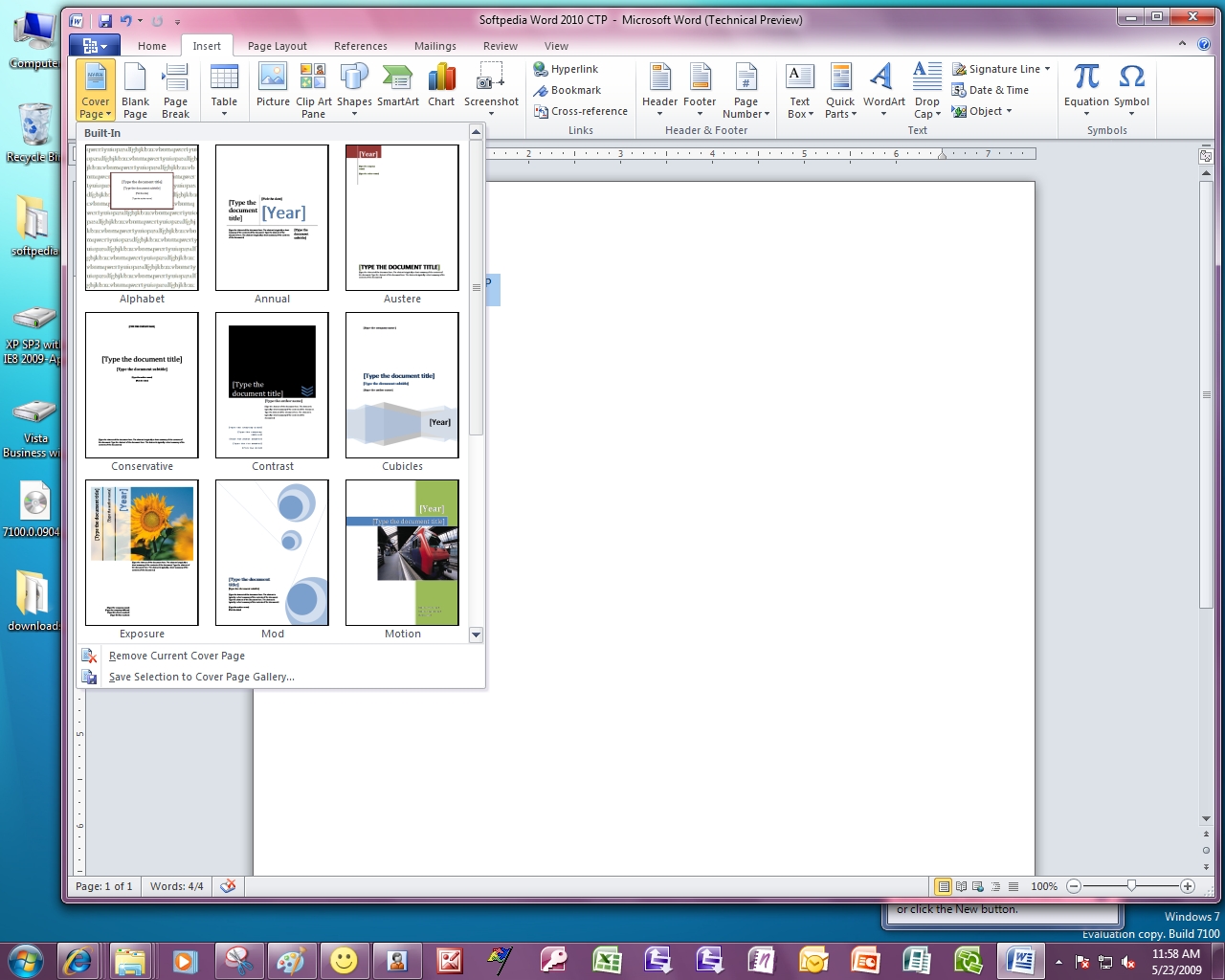
Kemarin ada teman bawa hp Motorola W230 rencananya minta lagu… Berhubung masih menggunakan Windows 7, langsung aj Net Surfer jadikan sarana uji coba :)
Hubungkan Kabel USB hp dan biarkan si Windows 7 mencari drivernya. Tapi jadinya Windows 7 malah tidak menemukan drivernya….. Ada apa ini???
Karena bingung langsung Googling saja cari driver. Akhirnya dapat drivernya DM-Tool-v1.9.0.3-for-Motorola-W230.zip tapi ini benar tidak ya drivernya? Coba instal dulu driver ini.

Tapi tetap saja Windows 7 tidak bisa menemukan drivernya. Googling lagi, kali ini dapat driver lagi Motorola_W230_Driver.zip(kayaknya yang ini yang pas). Tapi setelah dicoba Windows 7 tetap bilang tidak menemukan driver. Langsung ganti pake Windows XP dan driver ini bisa digunakan. Tapi setelah dihubungkan, XP malah diam seribu bahasa bilang alias tidak ada muncul foldernya si Motorola W230 (harusnya muncul folder seperti gambar dibawah).
 Ternyata setelah otak atik lagi, Net Surfer kelupaan satu hal penting. Saat hendak mengaktifkan fitur USB si Motorola W230 ini urutannya:
Dengan cara diatas hp Motorola W230 sukses terhubung dengan Windows XP dan Windows 7. Satu kesalahan langkah vital yang terlupakan….
Temannya Net Surfer malah senyum-senyum gembira setelah Net Surfer bangunkan untuk memilih lagu yang diinginkan. Dia tertidur tadi karena terlalu lama menunggu wakakakak
Ini daftar driver yang Net Surfer temukan
Mudah-mudahan berguna…
Peace
Tak kehilangan akal setelah gagal dengan XP MODE bawaan Microsoft (klik detail...)! Langsung putar haluan dan jadilah XP Mode alternative di Windows 7 dengan Virtualbox!!! Berikut sajian screenshotnya...
 Biasa instal virtualbox dulu, kemudian bikin virtualisasi! Diatas referensi settingnya...
 Jalankan virtualisasinya! Sebagai sarana uji coba disini Net Surfer gunakan punya XP MODE si Microsoft tapi untuk penggunaan sehari-hari disarankan menginstal langsung dari CD XP
 Yup XP Mode sukses! Ini view secara window mode..
 Ini view secara seamless! Lihat perbedaan Window Explorernya...
 Instal DirectX dulu...
 DXDIAG dari XP MODE
 Nah yang ini kayaknya Microsoft belom bisa, yakni implementasi 3D! Lihat emulator PS1 jalannya lancar... VirtualBox support 3D via OpenGL dari hardware hostnya!
 Setelah membaca disana-sini tentang XP MODE bahkan sempet juga diskusi online.. Akhirnya keinginan mencoba XP MODE semakin besar! langsung saja download XP MODE. Abis langsung instaaaaal.... Namun apa yang terjadi....
 Salah sendiri sih harus lihat dulu apa hardwarenya support atau tidak, he he. XP MODE di Windows 7 memerlukan setidak procesor yang support teknologi virtualisasi seperti Intel VT
Berikut spesifikasi yang diperlukan secara detail:
1 GHz 32-bit / 64-bit processor required
Memory (RAM)
Recommended 15 GB hard disk space per virtual Windows environment
Supported host operating system:
Windows 7 Home Basic
Windows 7 Home Premium
Windows 7 Enterprise
Windows 7 Professional
Windows 7 Ultimate
Note: Windows XP Mode is only available in Windows 7 Enterprise, Windows 7 Professional, and Windows 7 Ultimate.
Supported guest operating system:
Windows XP
Virtual Applications feature is supported only on Windows XP Service Pack 3 (SP3) Professional
Windows Vista
Virtual Applications feature is supported only on Windows Vista Enterprise and Windows Vista Ultimate
Windows 7
Virtual Applications feature is supported only on Windows 7 Enterprise and Windows 7 Ultimate